

Setting up a FTP
Overview
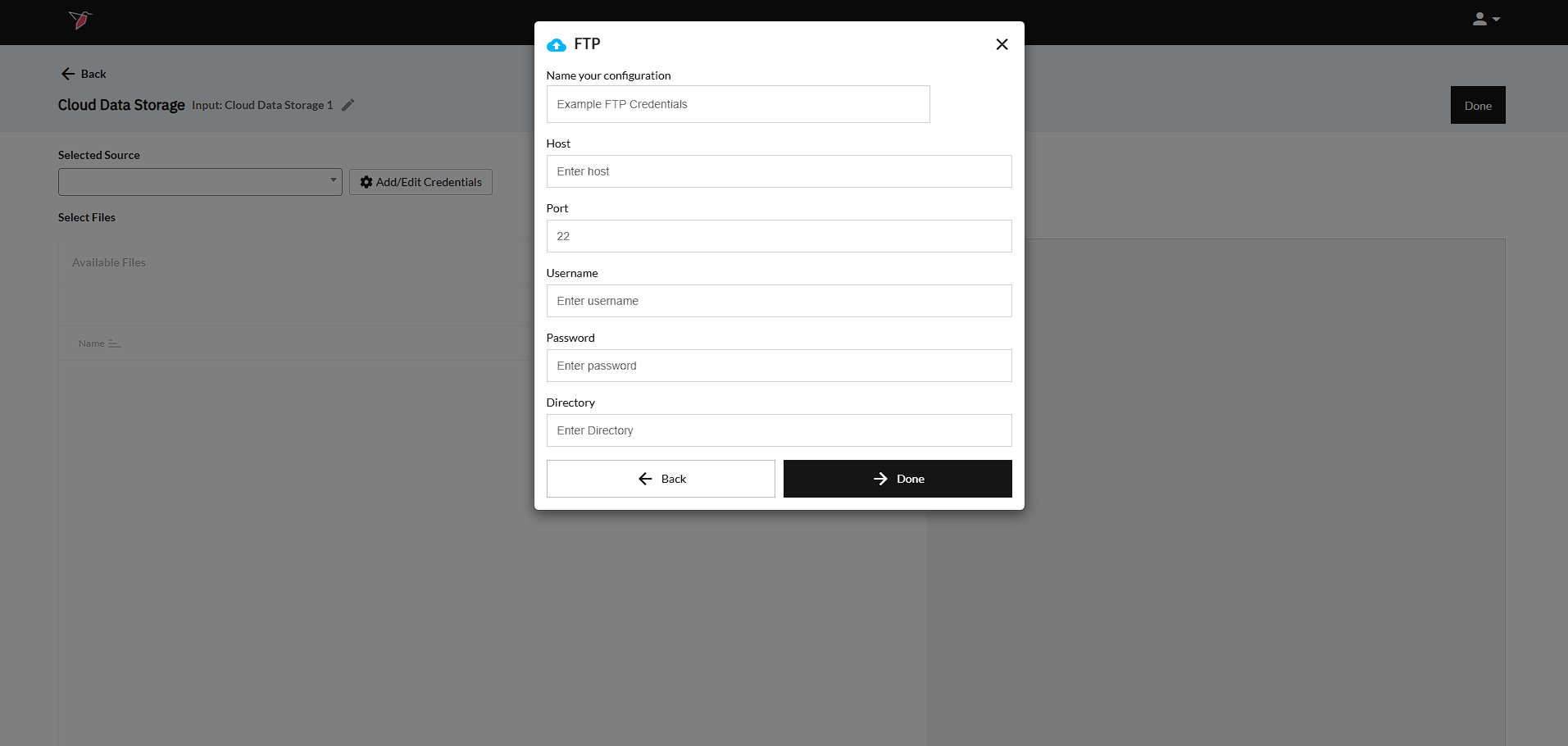
The following steps can be taken to set up your FTP account within a Redbird collection node.
FTP
- Input your Host - In order to connect to a FTP, you most provide the "Host" of your FTP server.
- Input the Port - for SFTP, you need to enter "22" (Note - you need to actually type it in even if it shows 22 in gray placeholder text)
- Input the login credentials. These are the same Username and Password used to log into your FTP server.
- Click Done to return to the previous screen.
Updated 8 months ago
Did this page help you?