

Setting up Microsoft SharePoint
Overview
Use the following steps to set up your SharePoint account within a Redbird collection node. Two authentication methods are supported—OAuth and Service Principal—both outlined below.
OAuth
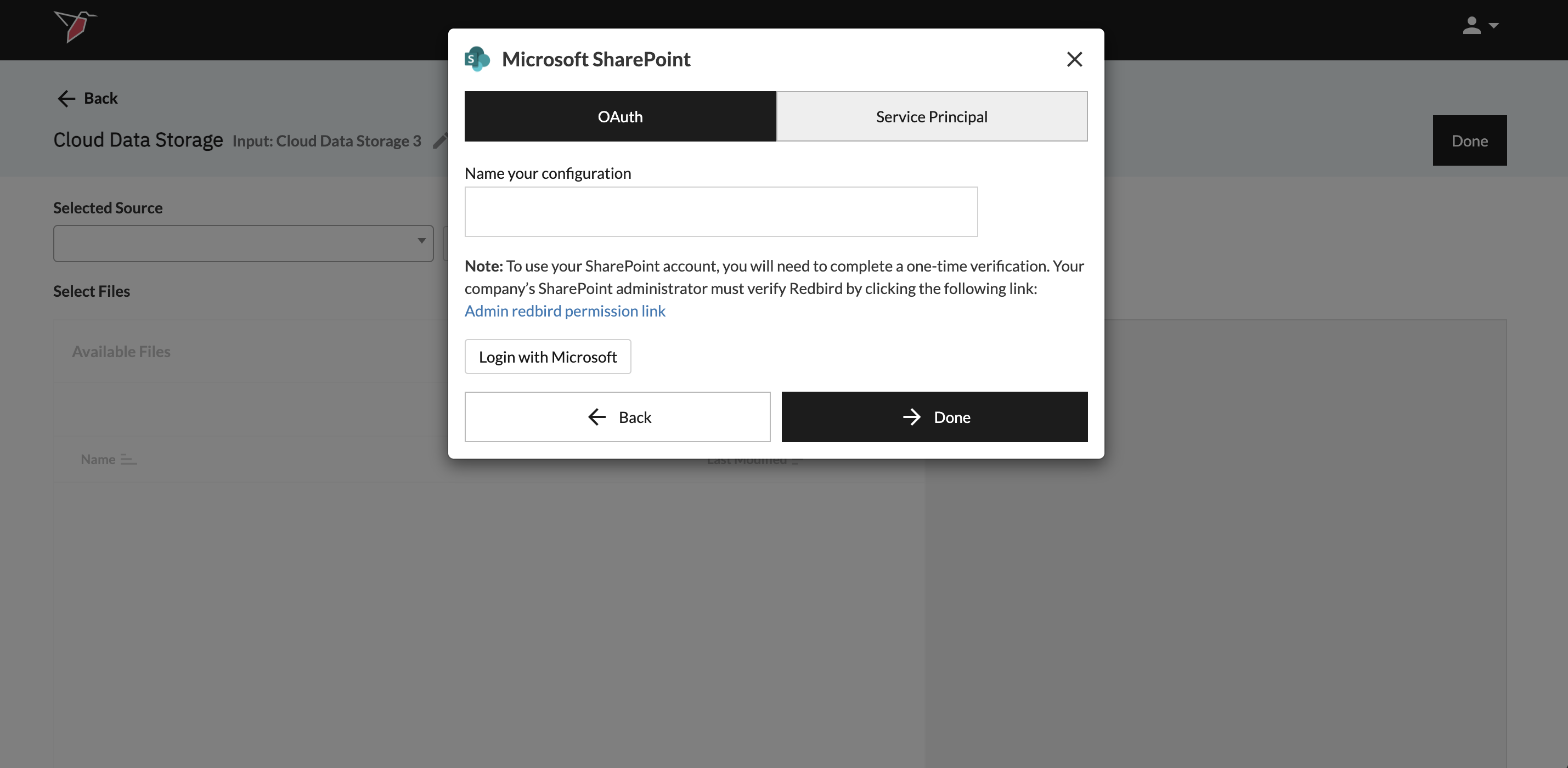
- Ensure the toggle at the top of the modal is set to OAuth.
- Name your configuration.
- Before you can log in with your Sharepoint account details and use your SharePoint account, you will need to complete a one-time verification. Your company’s SharePoint administrator must verify Redbird by clicking the following link and following the steps.
- Once Redbird has been authorized by your administrator, click Login With Microsoft to enter your credentials.
- Click Done to return to the previous screen.
Service Principal
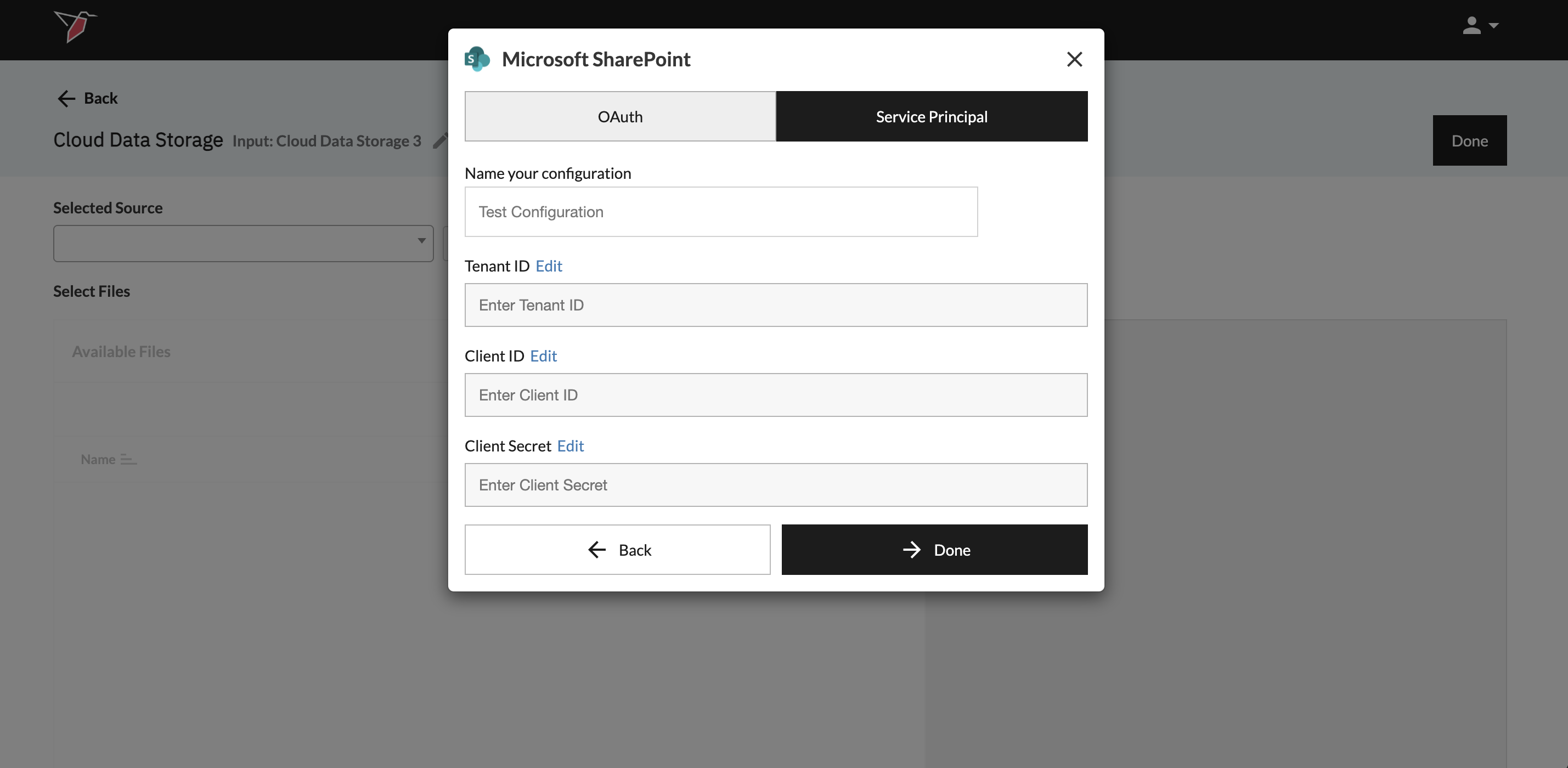
- Ensure the toggle at the top of the modal is set to Service Principal.
- Name your configuration.
- Input the following details into the fields (note - they can be obtained via the process outlined here):
- Tenant ID
- Client ID
- Client Secret
- Click Done to return to the previous screen.
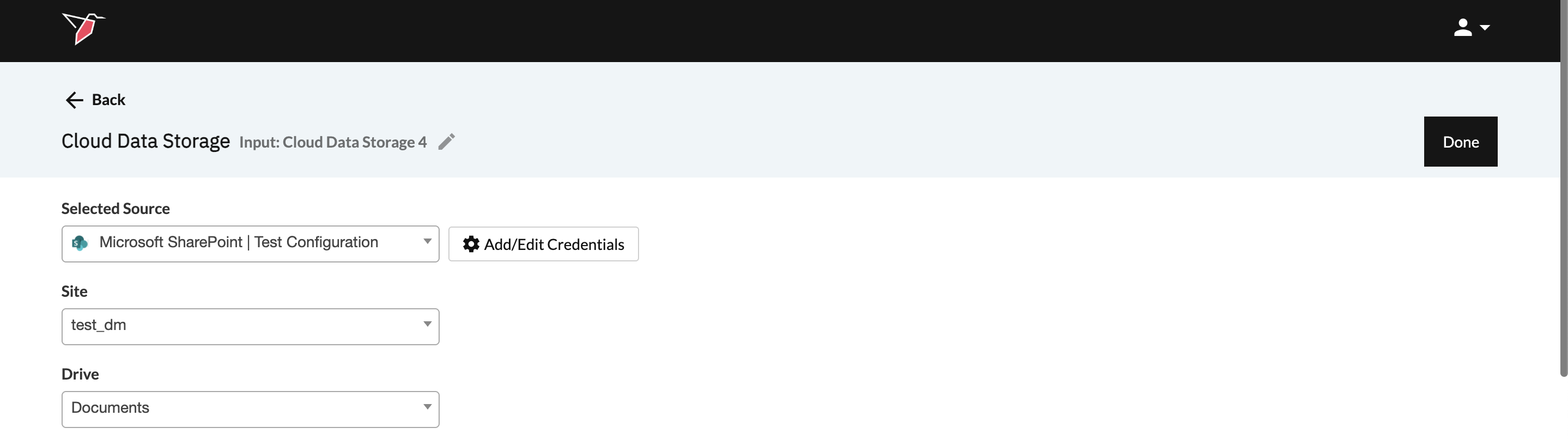
Regardless of the connection method used, once credentials have been added you will be prompted to select the Site and the Drive from the drop downs to locate the files you wish to ingest.
Updated 6 months ago
Did this page help you?