

Setting up Amazon Redshift
Overview
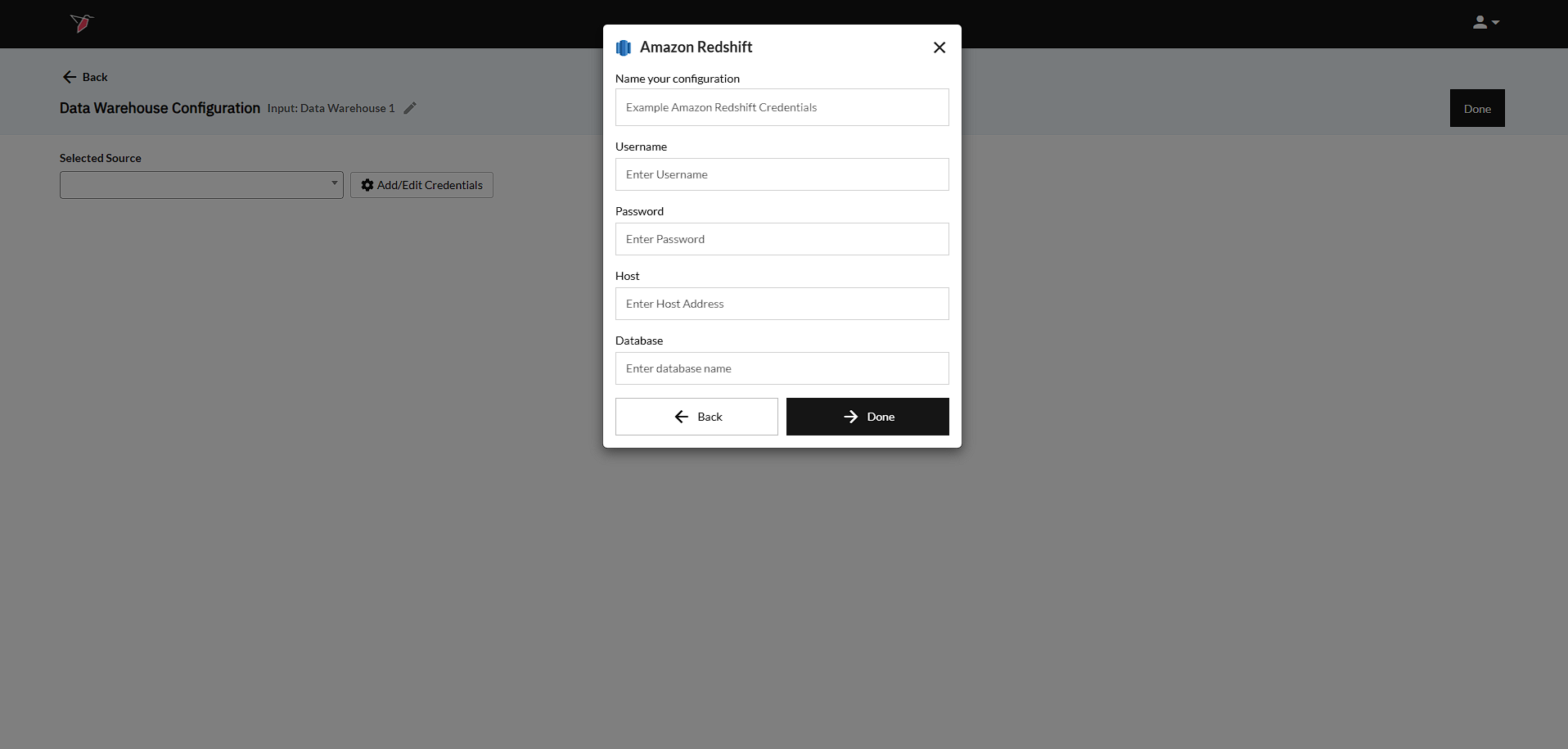
The below steps can be taken to add your Amazon Redshift account to a Redbird Data Warehouse configuration.
Amazon Redshift
- Input the login credentials. These credentials will be the same username and password used to log into the Amazon Redshift platform.
- Input your Host - In order to connect to an Amazon Redshift database via 3rd party, the user must provide the "Host" of the database. To read more on the syntax and where to find the URL, you can reference this guide on Amazon.
- Input your Database - The final piece needed to connect to the database is the "Database Name". The default Database Name is often "Dev", but the user should confirm this prior to entering it.
- Click Done to return to the previous screen.
Updated 8 months ago
Did this page help you?