

Activating Redbird in ChatGPT
Add Redbird to ChatGPT as a custom app and sign in with your Redbird account
Introduction
To use Redbird from ChatGPT, you add Redbird as a custom plugin once and sign in with your normal Redbird account. After that, you can attach Redbird to any ChatGPT conversation and ask for your data in plain words.
You'll need:
- A Redbird account.
- A ChatGPT plan that supports custom plugins through Developer mode.
- On a ChatGPT workspace (Business or Enterprise), permission to create plugins — usually a workspace owner or admin. If you see a message that you need workspace admin permission, ask an admin to create the app, or to give you that permission.
Quick reference inside Redbird. These same steps are available on the Manage MCP page — click Set Up Redbird MCP in the top bar and choose the ChatGPT tab.
Navigate to Plugins
-
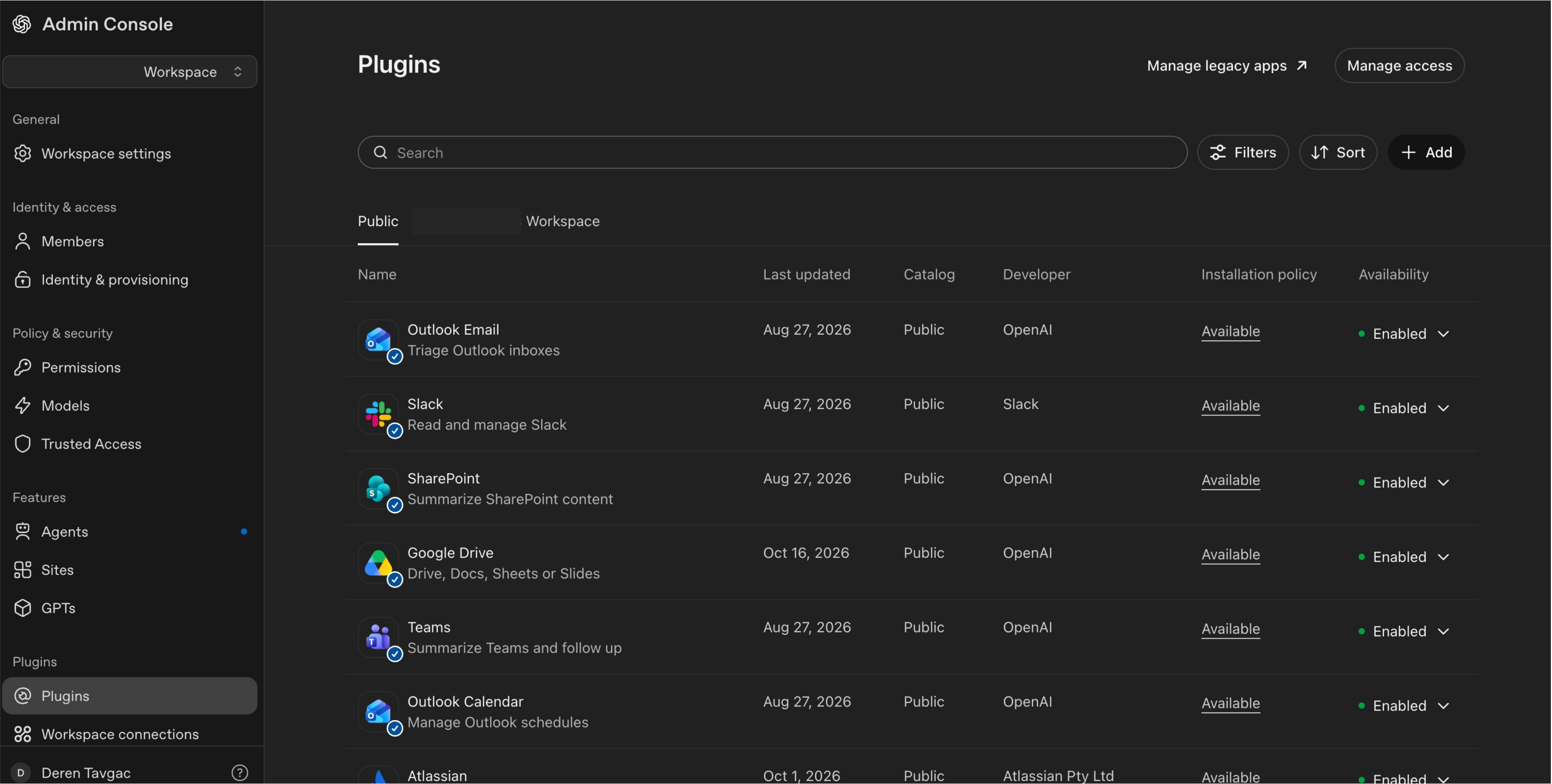
In ChatGPT, open Settings for your Workspace under the Admin Console and go to Plugins. For some accounts you may need to navigate to Plugins by going to Apps and then clicking Open Plugins.
Create the Redbird plugin
-
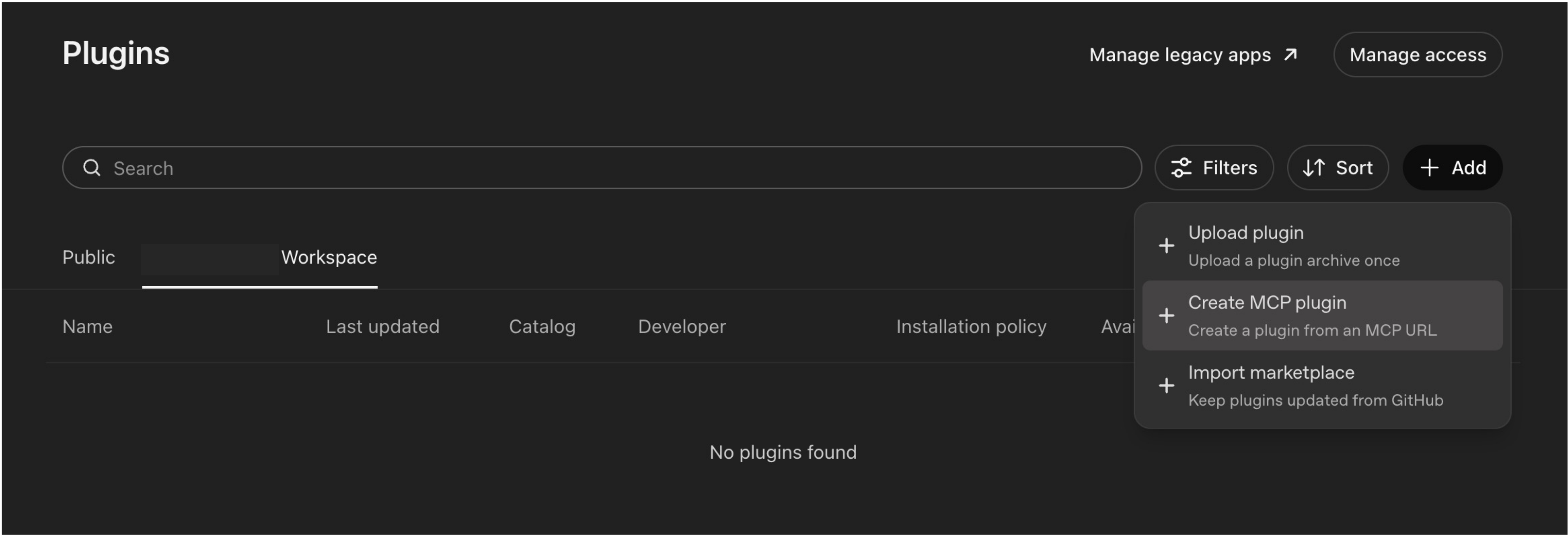
In Plugins select your workspace tab and then click Add -> Create MCP Plugin
-
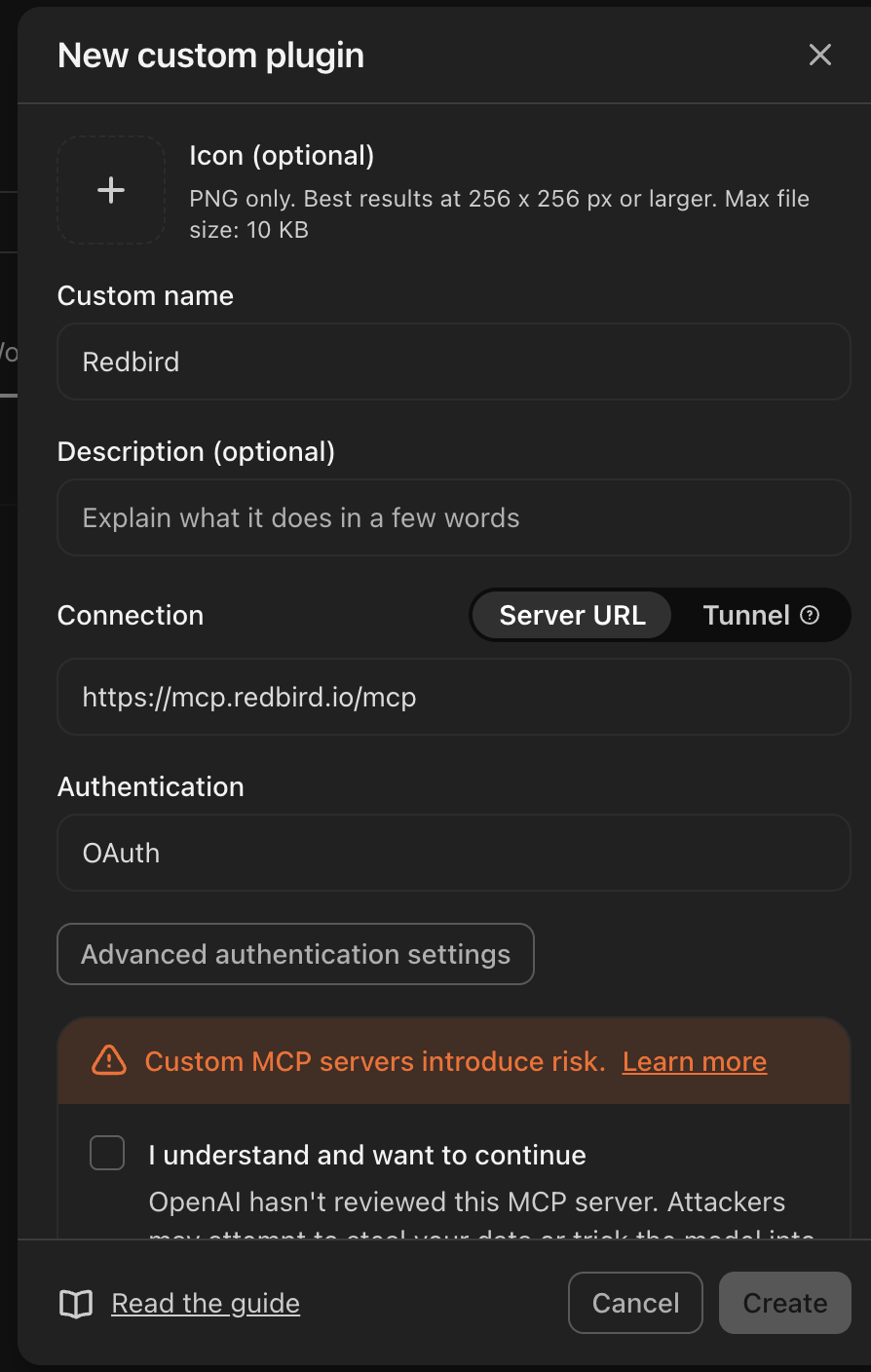
Give the app a name, such as Redbird.
-
Choose the Server URL option and enter the Redbird server address:
-
For Authentication, choose OAuth. If a message says OAuth setup is unavailable in this window, choose Continue in ChatGPT to finish the setup there.
-
Open the advanced OAuth options and choose Dynamic Client Registration. ChatGPT finds the rest of the sign-in details automatically.
-
Leave the OIDC option switched off.
-
Check the "I understand and want to continue" checkbox
-
Add the plugin
Sign in to Redbird
- After adding the plugin, ChatGPT will launch you into a Redbird authentication popup window where you will need to authenticate
- In the first step, log in with your normal Redbird username and password.
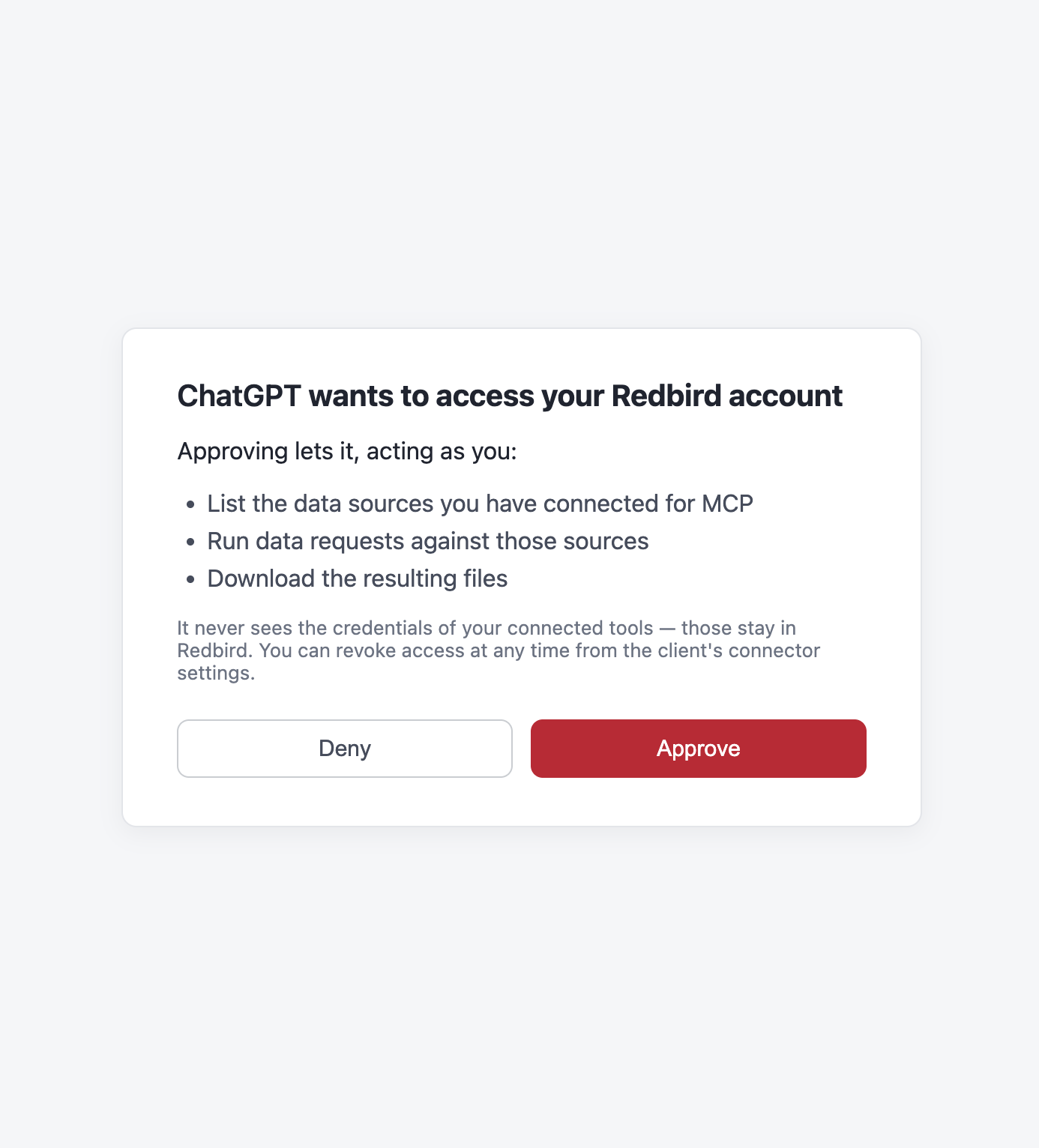
- Next, Redbird asks whether to allow ChatGPT to access your Redbird data. Click Approve.
Enable the Plugin within your workspace
-
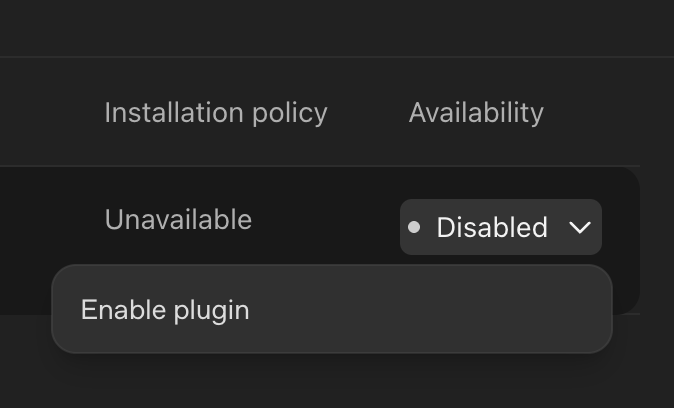
Plugins that are still drafts can't be used in conversations. Enable the Redbird plugin within your workspace — not to a public directory — so it becomes available. Within the Plugins view -> your workspace tab, click on the Disabled button to the very right of the Redbird plugin you just created and select Enable Plugin.
-
Next, click Configure in the pop-up dialog
-
This should take you to the Redbird plugin configuration view, where you will need to review the app. Click on Review App.
-
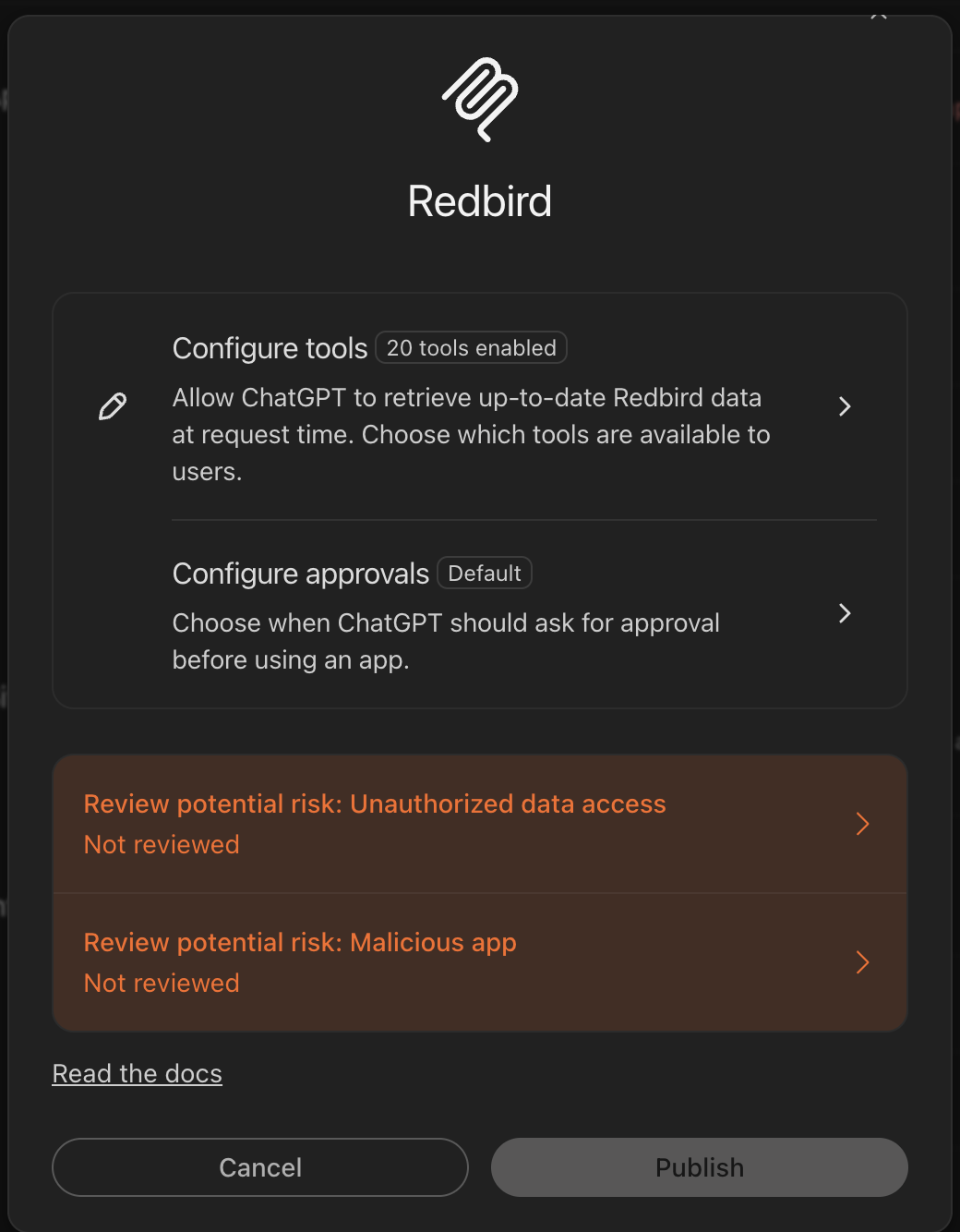
As part of the review process, you will need to confirm two red review items at the bottom of the review modal
-
Click on each red review item one at a time, select the review checkboxes at the bottom of the review modal and then click Continue (note: you will need to go through these steps individually for each red review item).
-
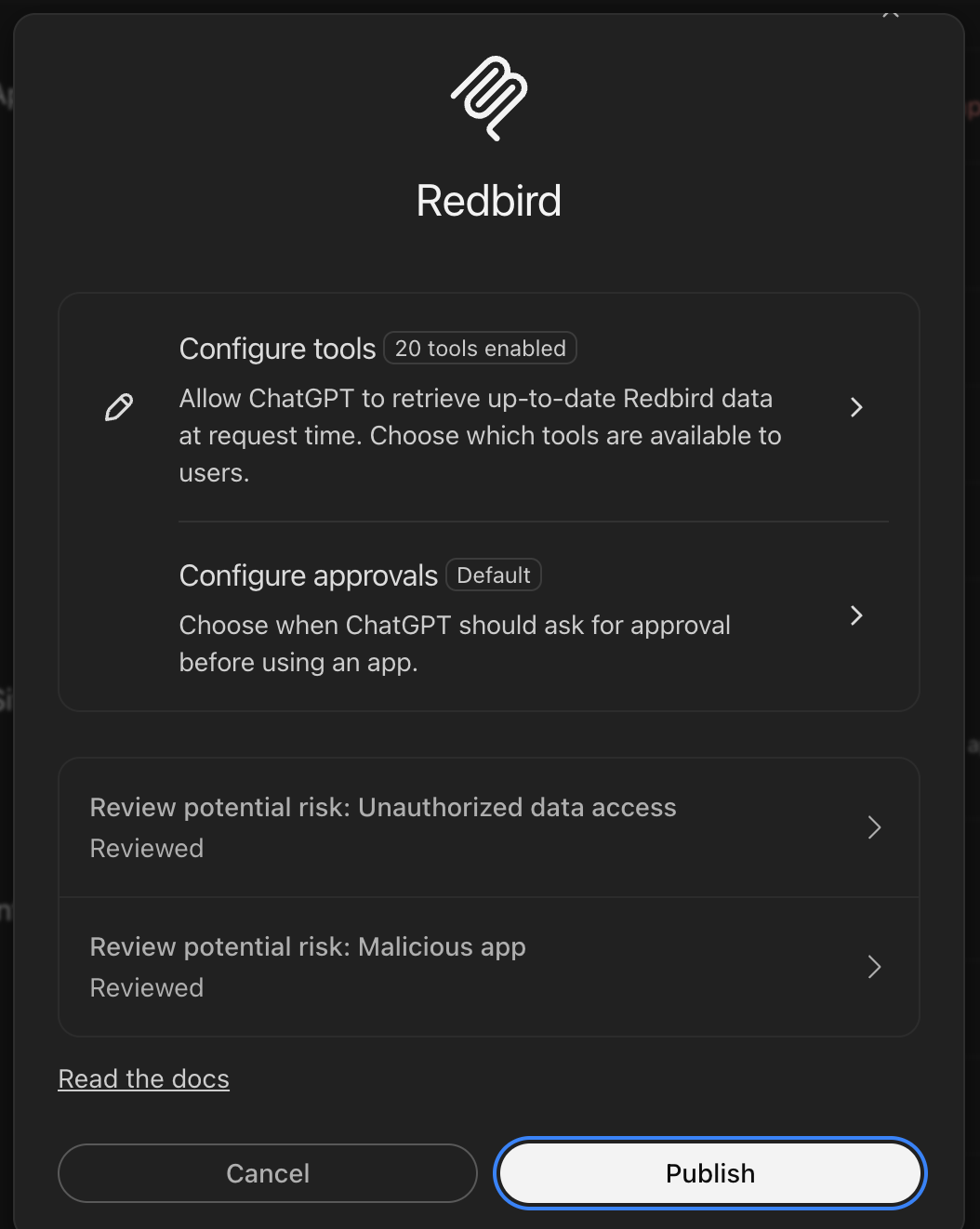
Once both red review items have been reviewed and approved, the review items will no longer be marked as red and you should click Publish.
Use Redbird in a conversation
- Start a new conversation in ChatGPT.
- Open the menu in the message box and add the Redbird app (optional).
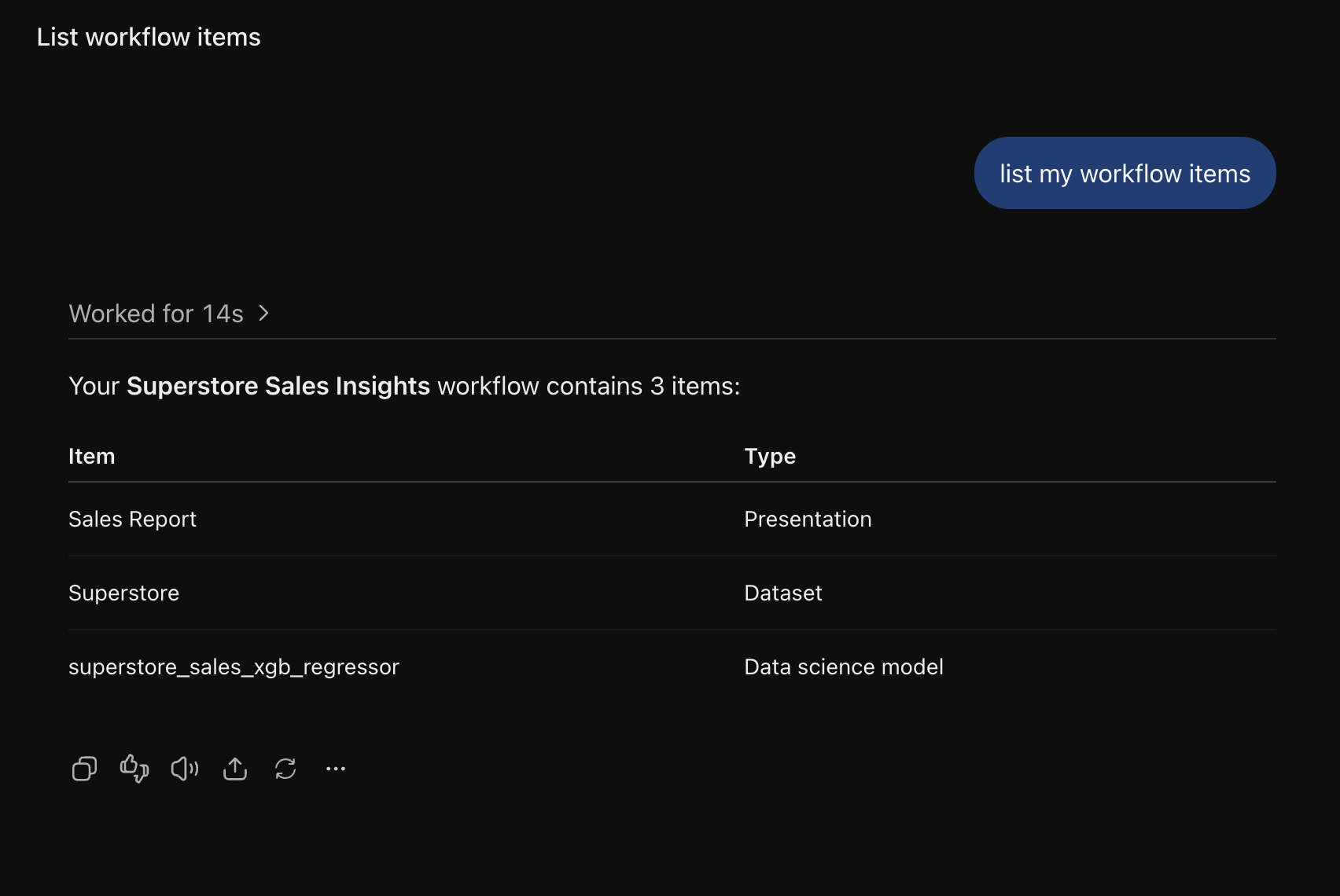
- Ask for your data — for example, "What can I access in Redbird?" The first request may ask you to sign in.
About file downloads. ChatGPT fetches the files Redbird sends with its own built-in downloader. If ChatGPT says it can't download a file, open the link it gives you in your own browser, save the file, and attach it to the conversation — the analysis works the same way.
Troubleshooting
- "You need workspace admin permission to create a draft plugin." Your ChatGPT workspace only lets owners and admins create plugins. Ask an admin to create the Redbird plugin, or to grant you permission. Each person still signs in to Redbird with their own account when they connect.
- Redbird doesn't appear in your conversation. Check that the plugin was published to your workspace, not left as a draft.
- ChatGPT says Redbird doesn't support sign-in. Re-check the server address, that Dynamic Client Registration is selected, and that OIDC is off.
Next, see Using Redbird MCP in Claude and ChatGPT for what you can do once Redbird is connected.
Updated 2 days ago