

Custom Agent Logic
With AI Chat you have access to specific agents. Depending on the base agent you select, there may be parts of the AI agent's logic that will be exposed for you to customize using natural language descriptions of the logic you would like to add.
Custom Logic Vs. AI Context
Note: Use custom agent logic when you need to provide specific instructions for how an individual agent should behave or execute. For more general business context that should apply across all agents — such as acronyms used within your organization or how specific metrics are calculated — use AI Context instead. use AI Context instead. See here for more information on AI Context.
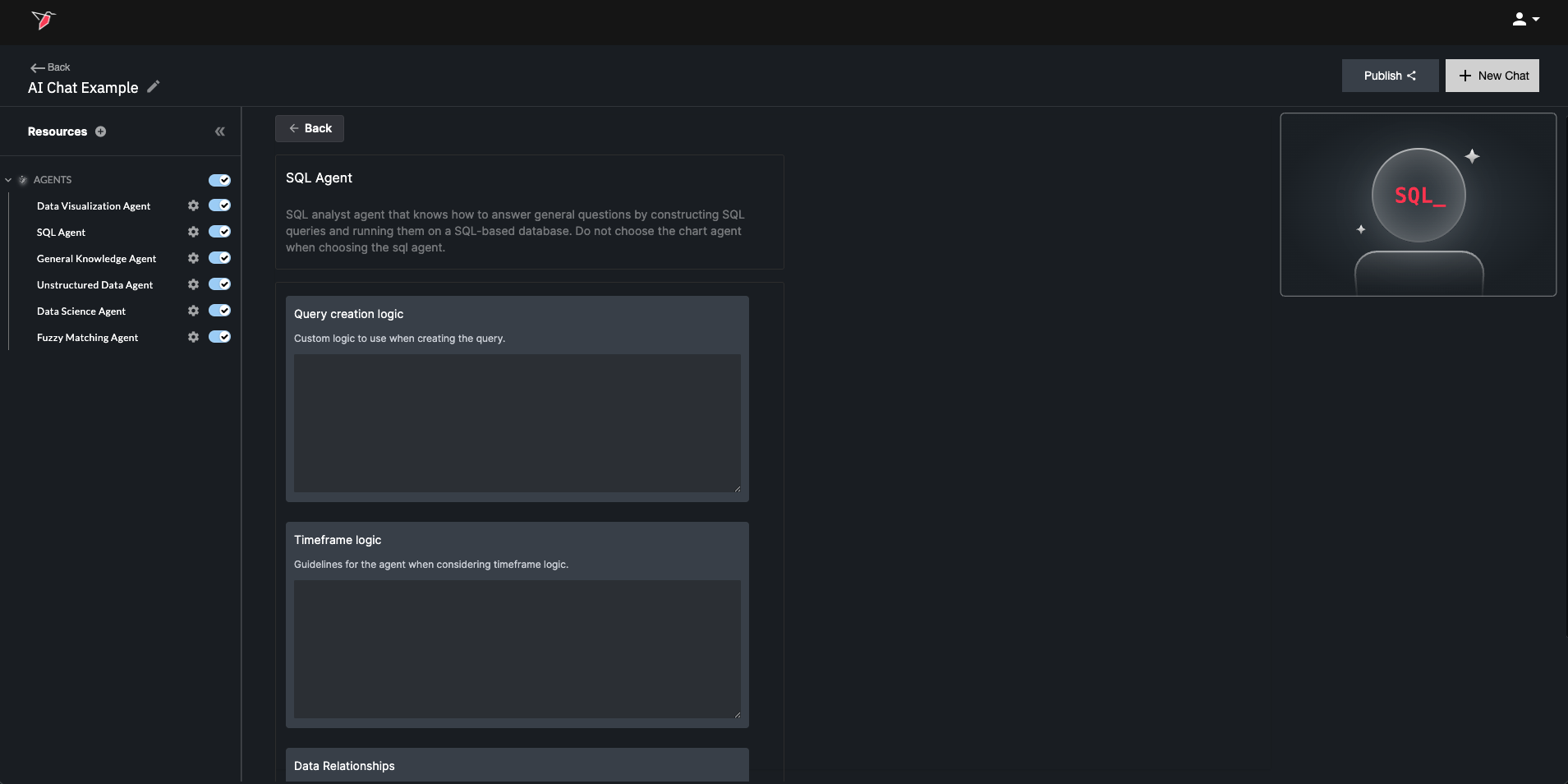
As an example, Redbird's SQL Agent allows you to add custom logic for how the AI agent should construct SQL queries and also how it should consider timeframes.
Here are more details on the type of custom logic that can be applied within AI Agent Configurations:
- If-then-else conditional logic related to different scenarios and what should be done in each scenario
- Default behaviors or fallback logic when specific criteria aren't provided within user prompts
- Logic to interpret various ways users may refer to the same concept (e.g., different formats for time, codes vs. names).
- Templates or blueprints for actions to take
- General strategy for the AI Agent
Example: SQL Agent (Query Creation Logic)
If the query is calculating an aggregate financial metric using the Sales, Operating Expenses, or Net Income columns in the dataset, always filter the dataset by Division = Corporate.
As a default, always assume the market is the United States unless the question specifies otherwise.
Example: SQL Agent (Timeframe Logic)
If the question mentions the 'week of' without specifying a year, find the most recent year in the dataset where the week equals the week mentioned in the question, and filter for that week for that year. Make sure that the logic you use does not automatically use the current year without checking for the most recent year in the dataset where the week equals the week mentioned in the question. Make sure that the query does not use any year information in filters when determining the most recent year in the dataset where the week equals the week mentioned in the question. It should also use a LIKE clause on the week column that correctly accounts for the week format <YYYY-MM-DD> (e.g. WHERE <week column> LIKE '%MM-DD').
Updated 7 months ago