

Renaming, Deleting & Favoriting Workflows
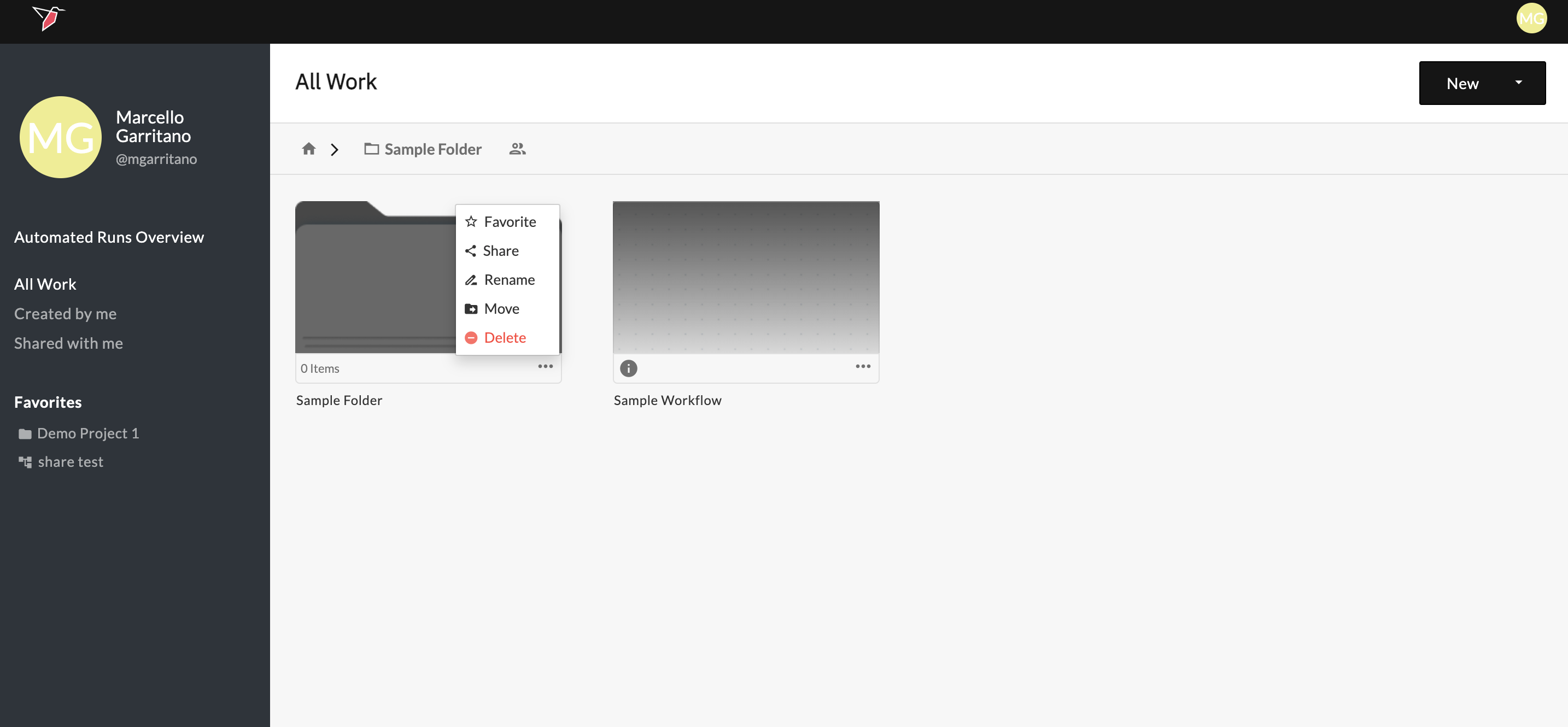
From the home screen, you can manage workflows and folders using the three-dot menu next to each item.
Use this menu to rename an object by clicking directly on its name or selecting Rename. Enter the new name and it will be saved automatically.
You can also mark workflows or folders as favourites using the Favourite option. Favourited items appear in the Favourites section on the left-hand panel for quick access.
To remove an item, select Delete from the menu.
Updated 6 months ago
What’s Next
Now that you understand how Redbird works, continue to the Input section to begin ingesting data.
Did this page help you?