

Node Pointers
Reference and use nodes in different workflows
Pointers are a way to use a workflow node in a different canvas than it was originally created in. A pointer is connected to the original and therefore behaves the same way as the original. For example, a pointer the references a dataset node will reflect any changes to the original node. Pointers work similar to the concept of "symlinks" for computer files.
Here are a couple scenarios where a pointer is useful:
- Giving access to data as an output of restricted workflows: You have a dataset created from Workflow A. You want to use this dataset in one or more other downstream workflows without giving access to all of Workflow A. You can copy the dataset node from Workflow A and paste as a pointer into Workflow B. Now, additional macros can be set up from the pointer in Workflow B while keeping Workflow A restricted from other users. When an automated run in Workflow A updates the dataset, that data is updated via the pointer in Workflow B.
- Organizing complex workflows: If a workflow grows to be very large, you could create a pointer node from a branch of the workflow and paste it as a pointer in a different workflow to continue the workflow there. This separates different parts of the workflow into separate sections to reduce the amount of nodes on any given canvas.
Creating a pointer
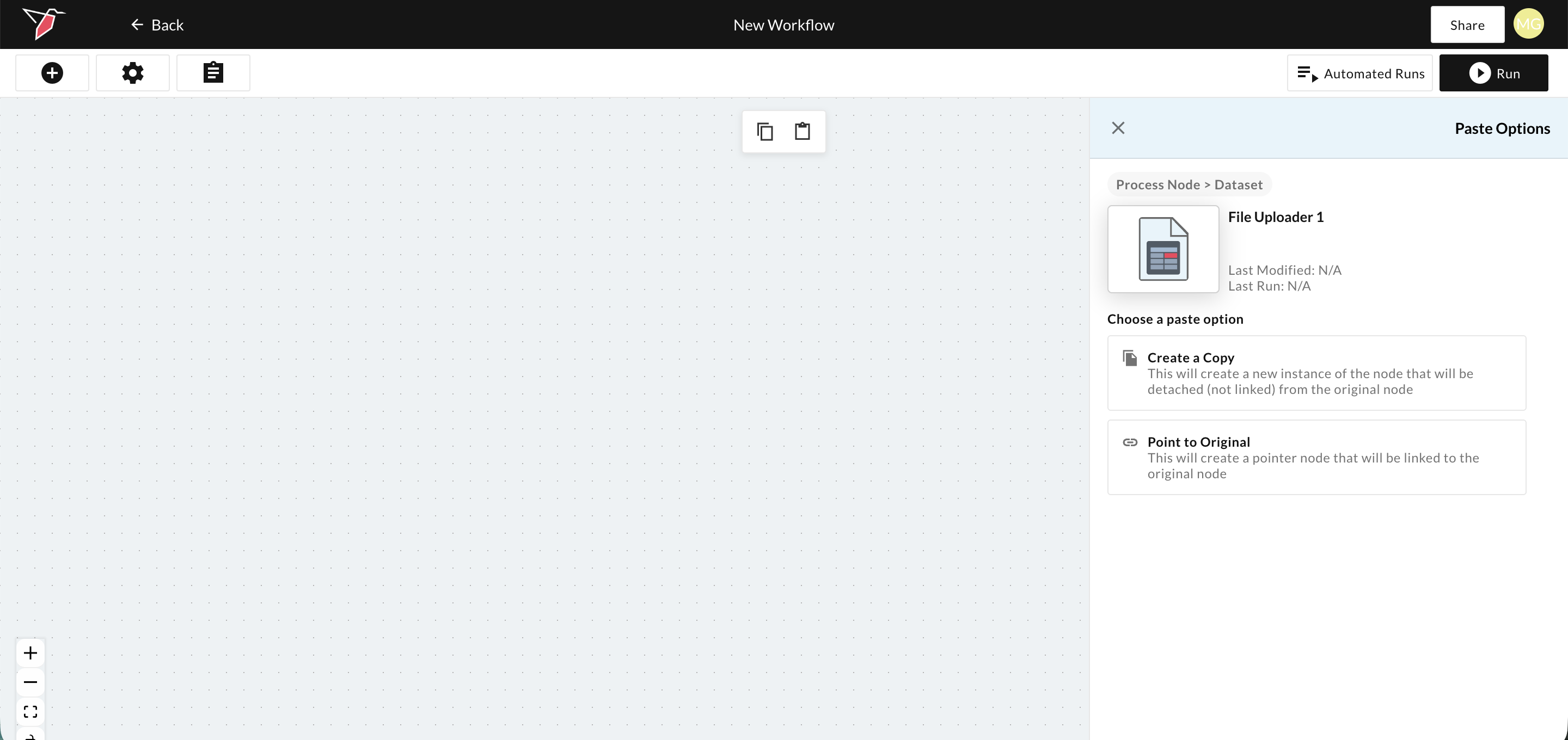
Pointers are created by copying a node and then selecting the option to "Point to Original". This option is only available when pasting on a canvas different than where the original node lives.
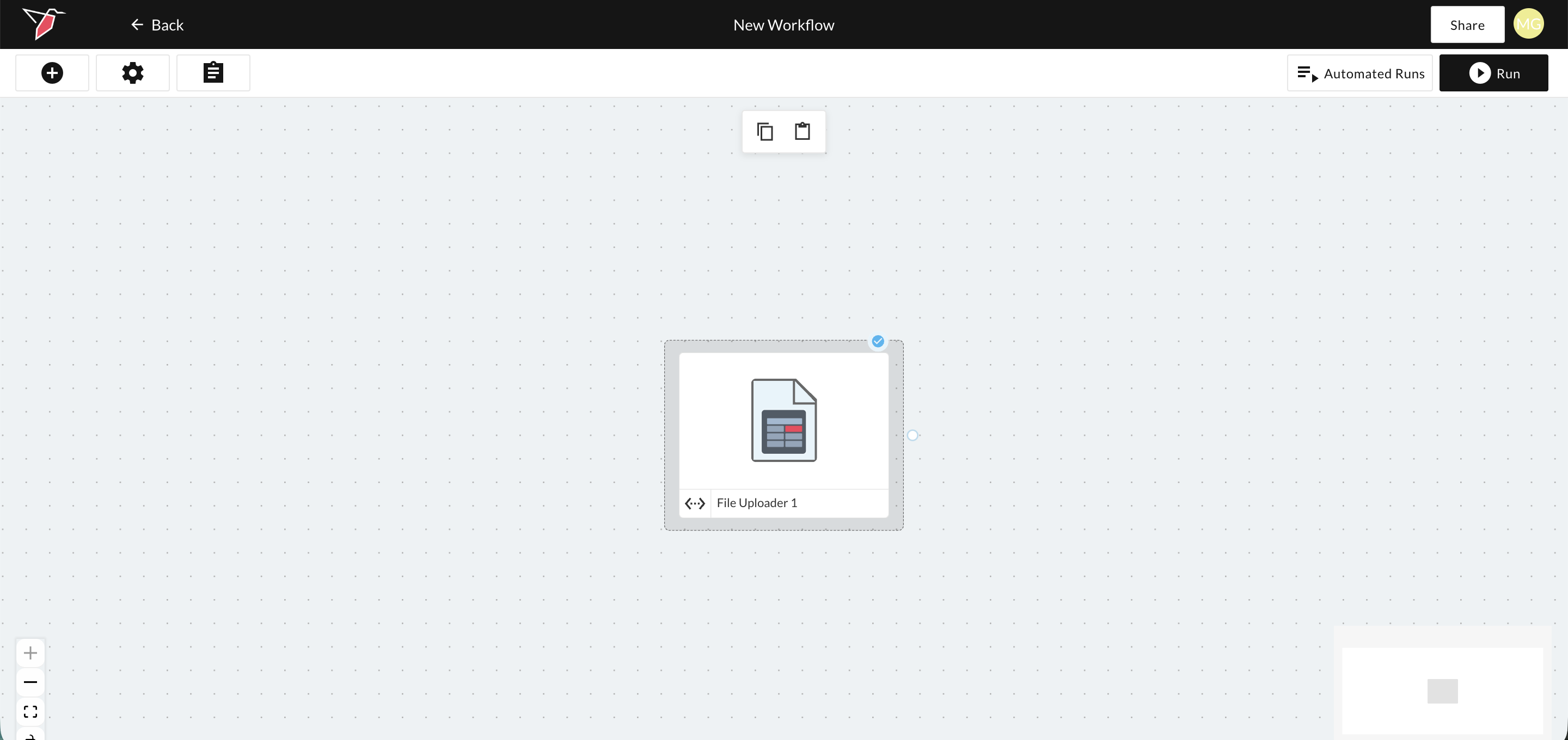
Pointers appear with a dotted grey border around a normal node.
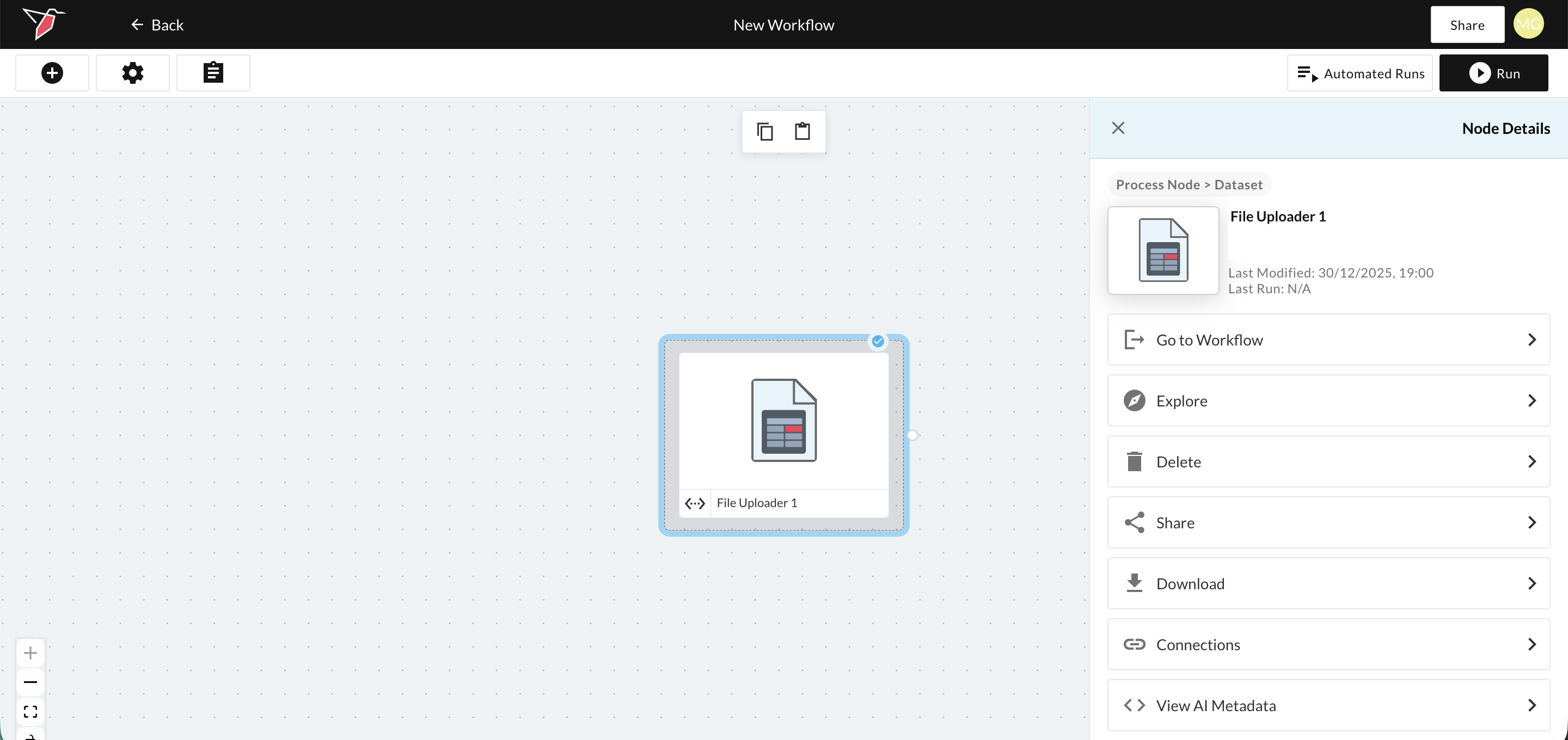
When you select a pointer, you will be shown slightly different options than a regular node. Instead of the option to Edit the node, you'll be able to "Go To Workflow" which will send you to the workflow where the original node lives.
Updated 6 months ago