

AI Agents - Unstructured Data Agent
Introduction
The Unstructured Data Agent lets you ask questions and get insights from your unstructured data sources including PDF / PowerPoint documents, text, and other data that is not in a clearly defined structure. You can ask for it to recall specific statistics or text/commentary, analyze quantitative data within charts / tables / text or create a summary of the contents.
Getting Started Using the Unstructured Data Agent
- In order to use the Unstructured Data Agent, first, you will need to connect a data source to your AI Chat node - see here for more information on connecting data.
- Once you've connected the data you want to analyze to the chat environment, make sure the Unstructured Data Agent has been toggled on in the chat environment.
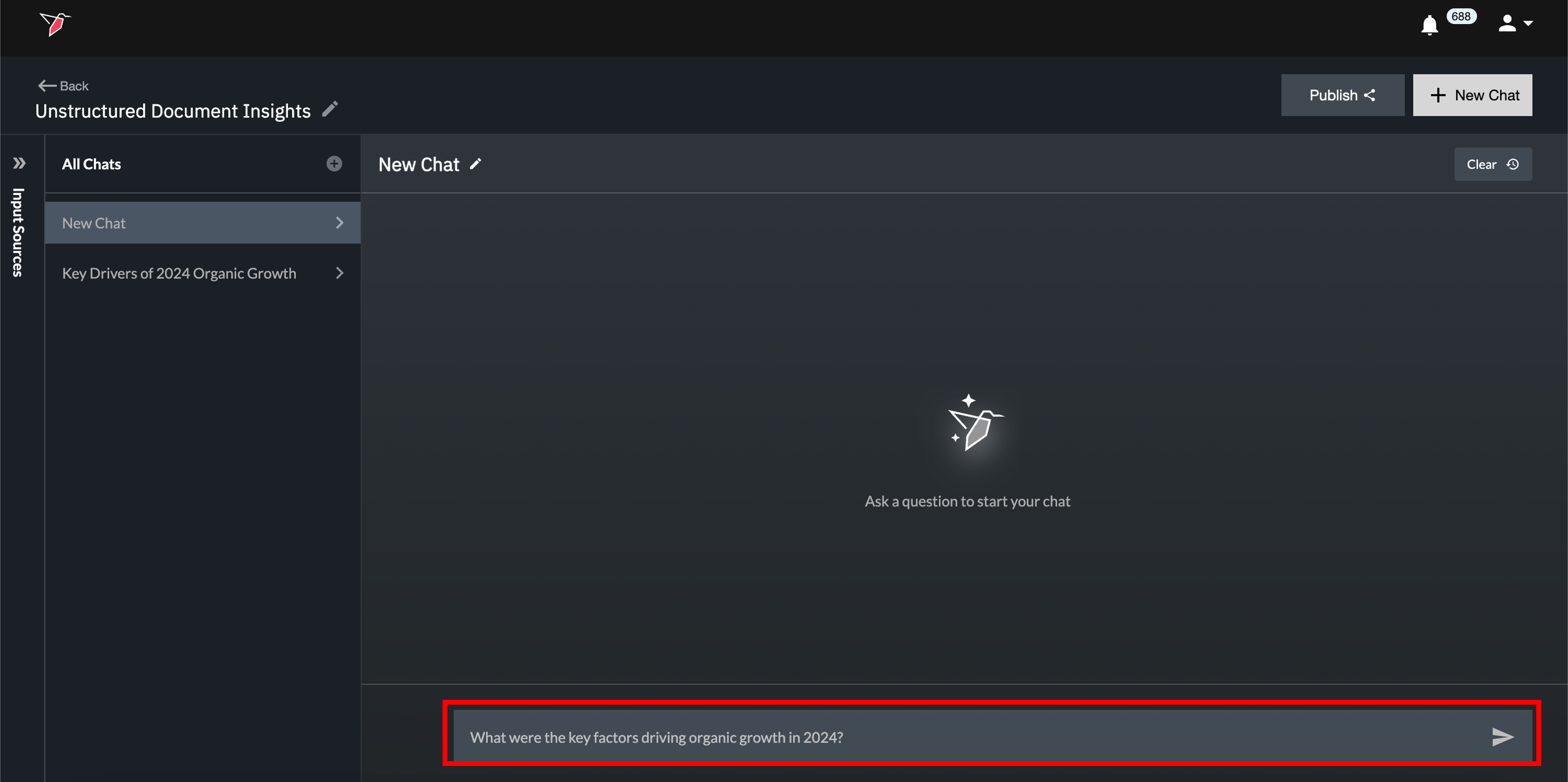
- To get started, simply ask a question in the chat interface by typing your message and hitting enter.
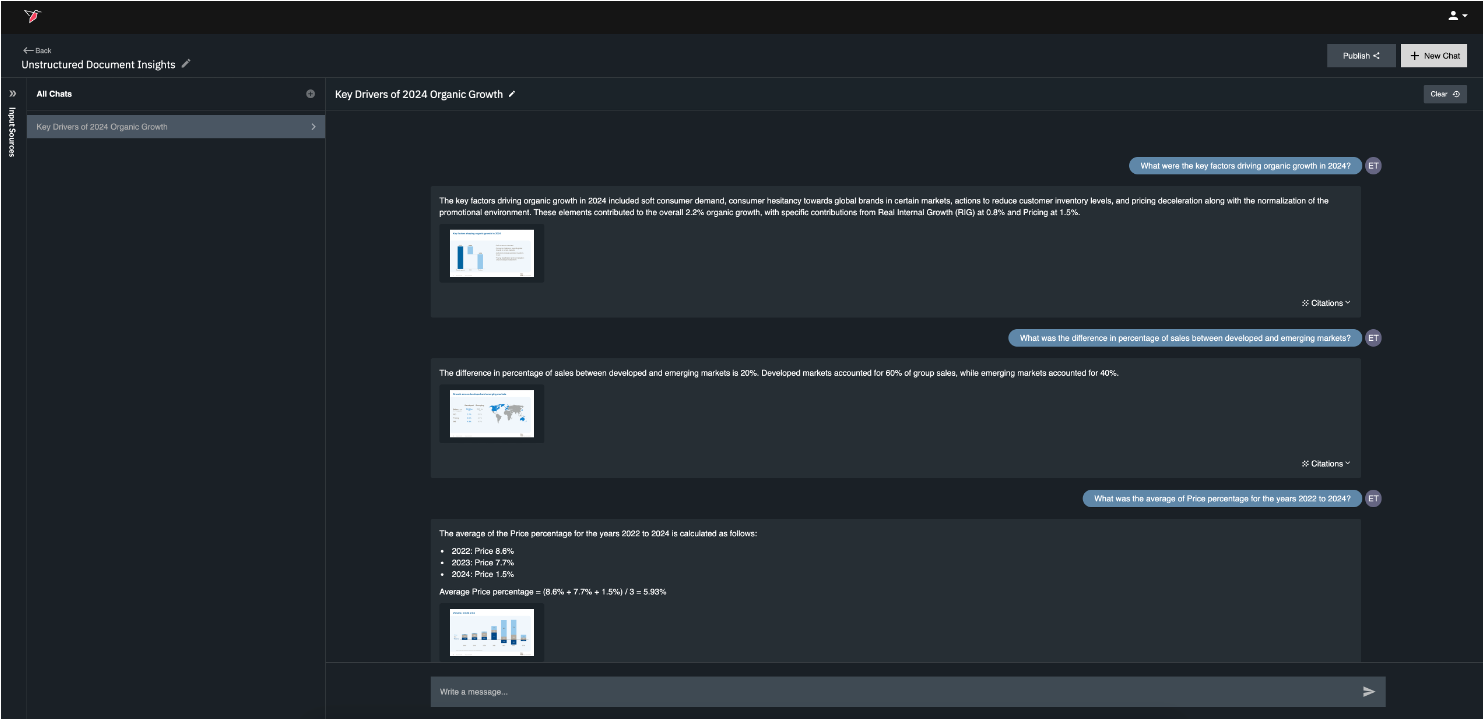
- The Unstructured Data Agent will respond to your question with an answer in natural language, as well as citations that specify the documents (and pages / sections within those documents) used to answer the question.
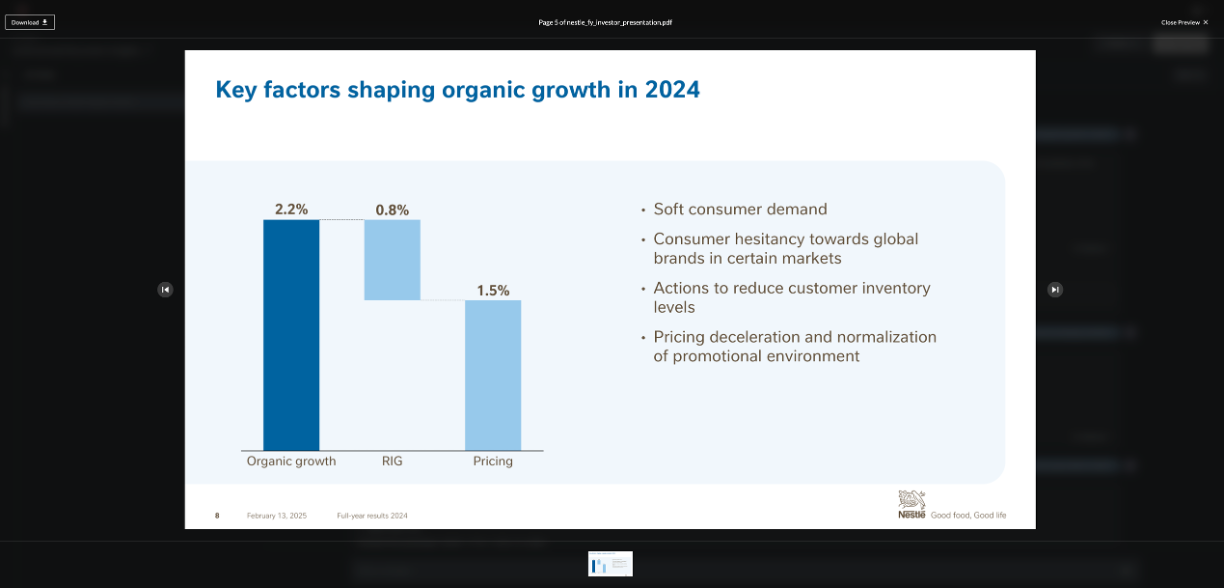
- The citation will also include thumbnails for the relevant documents, which you can view in full-screen mode by clicking on the thumbnails. Within full-screen mode, you can navigate across the relevant documents by clicking the 'previous' and 'next' arrows.
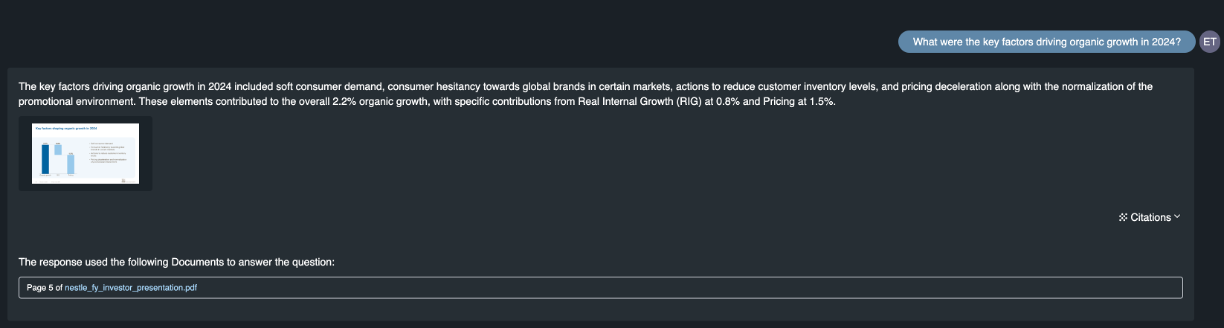
- You can access more information on the specific page numbers / documents used to answer the question by clicking expand on the 'Citations' link below the answer. Within the expanded citation details, click the document name links to open a new tab and view the source document in its entirety.
Agent Capabilities
The Unstructured Data Agent can analyze and get insights from the following types of data within unstructured documents:
Unstructured text content
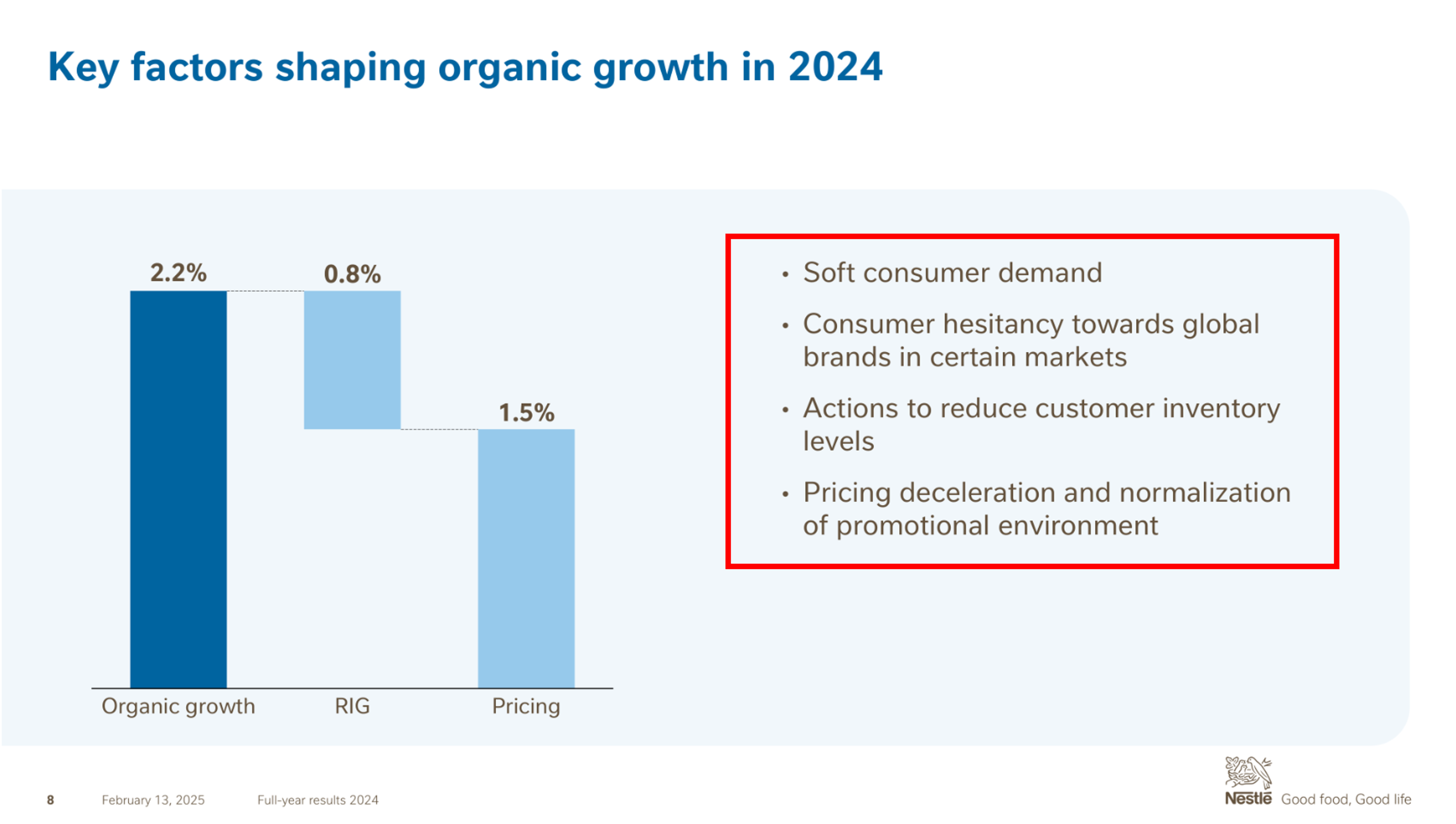
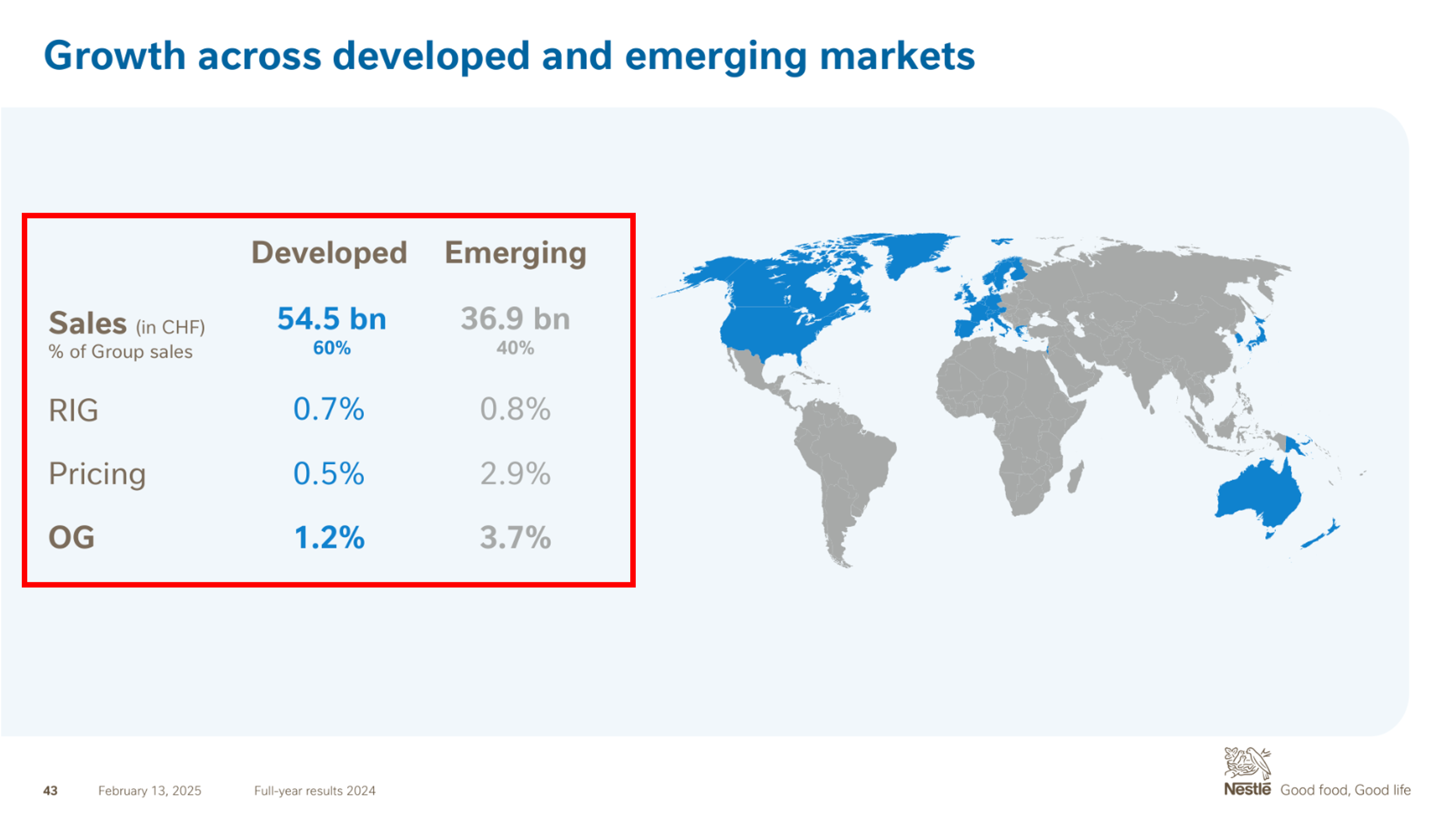
Data Tables
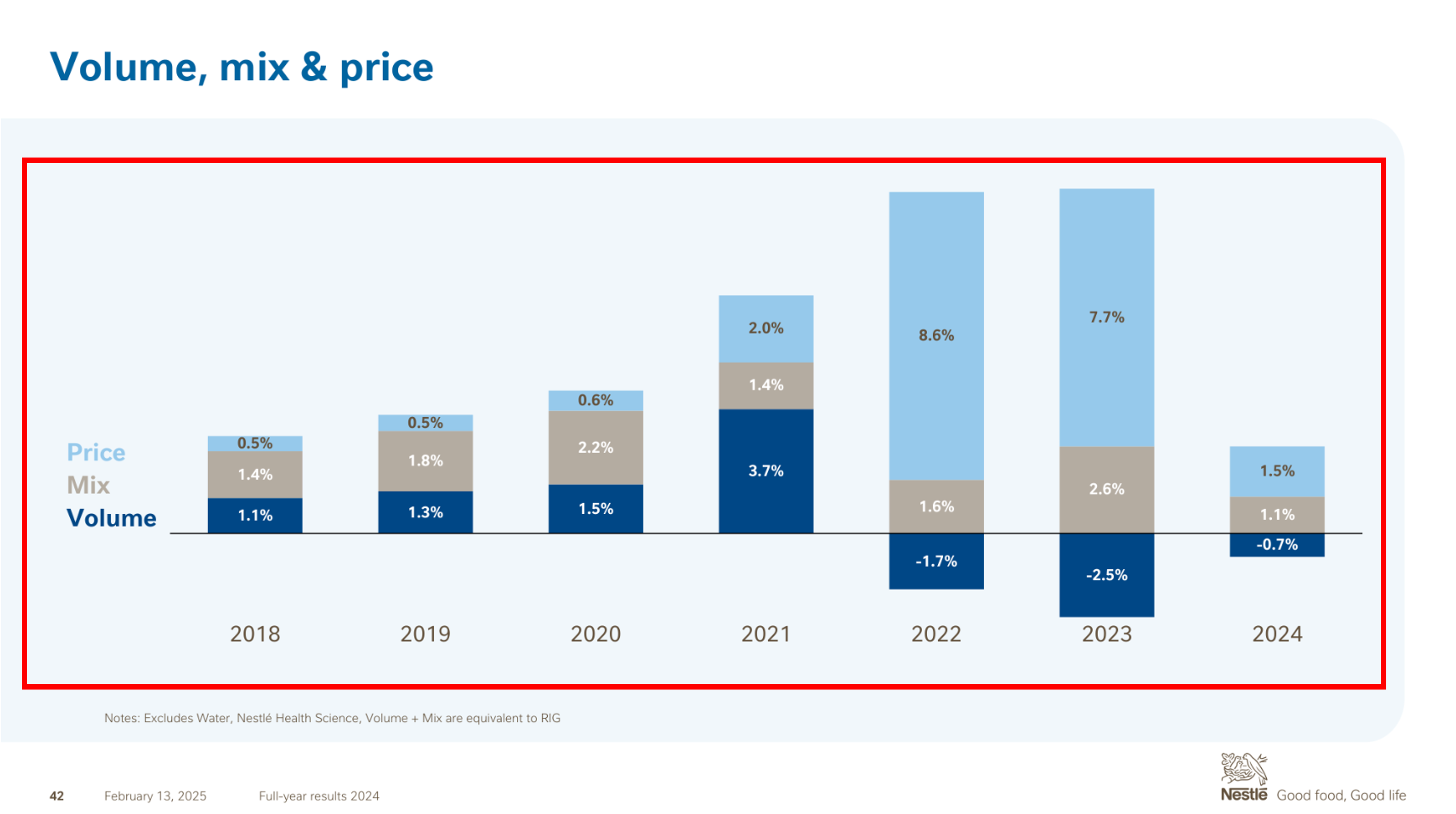
Data Visualizations / Charts
Updated 6 months ago
What’s Next
Did this page help you?