

SDK Authentication
To use the Redbird Agent SDK in your own environment, you will need to Authenticate using a token-based system. The SDK uses an OAuth2.0-based authentication mechanism with short-lived tokens. To generate these tokens, you'll first need to create a Client ID and Client Secret on the Admin page of your user profile.
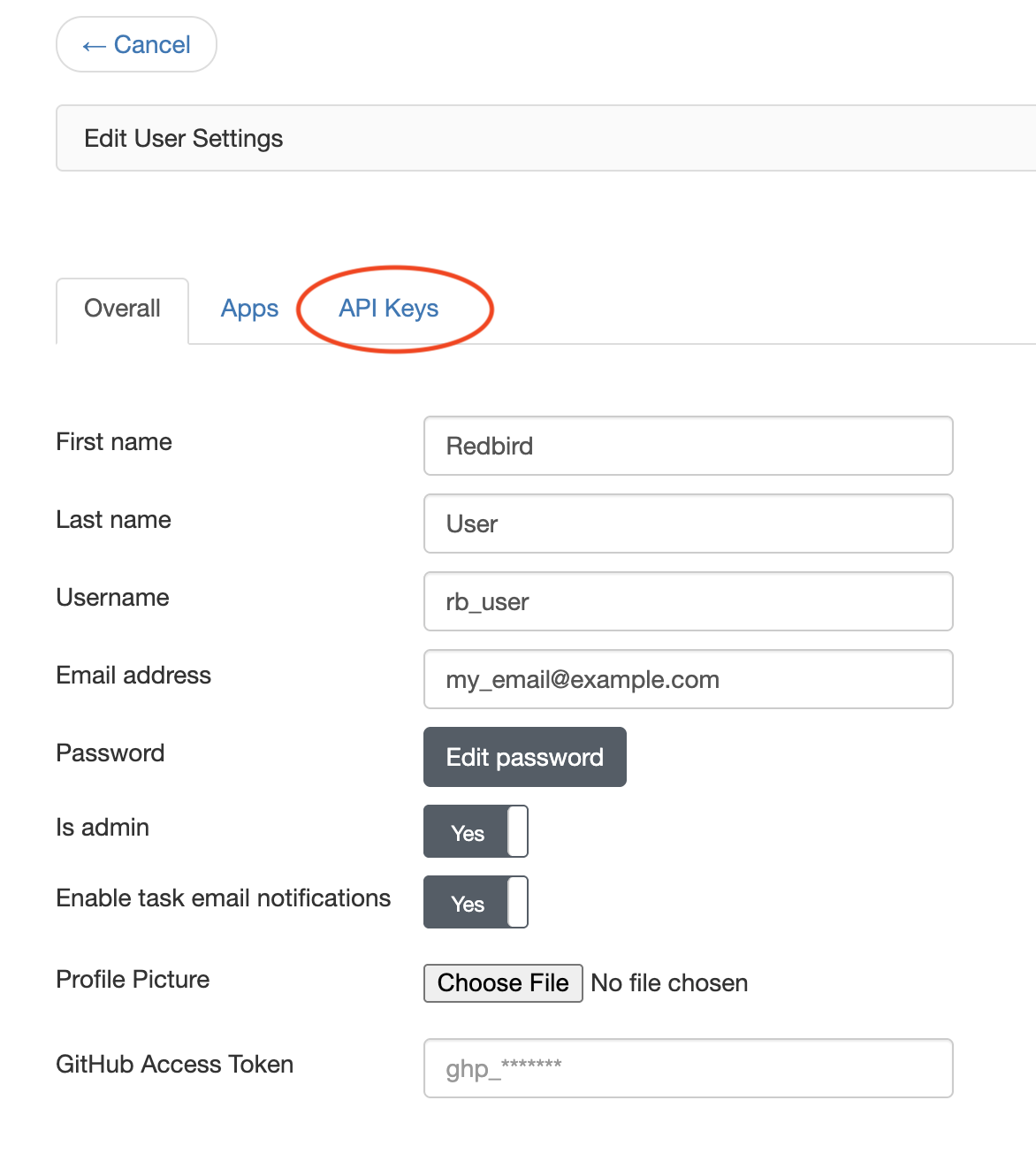
Navigate to User -> Account Settings and click on the API Keys tab.
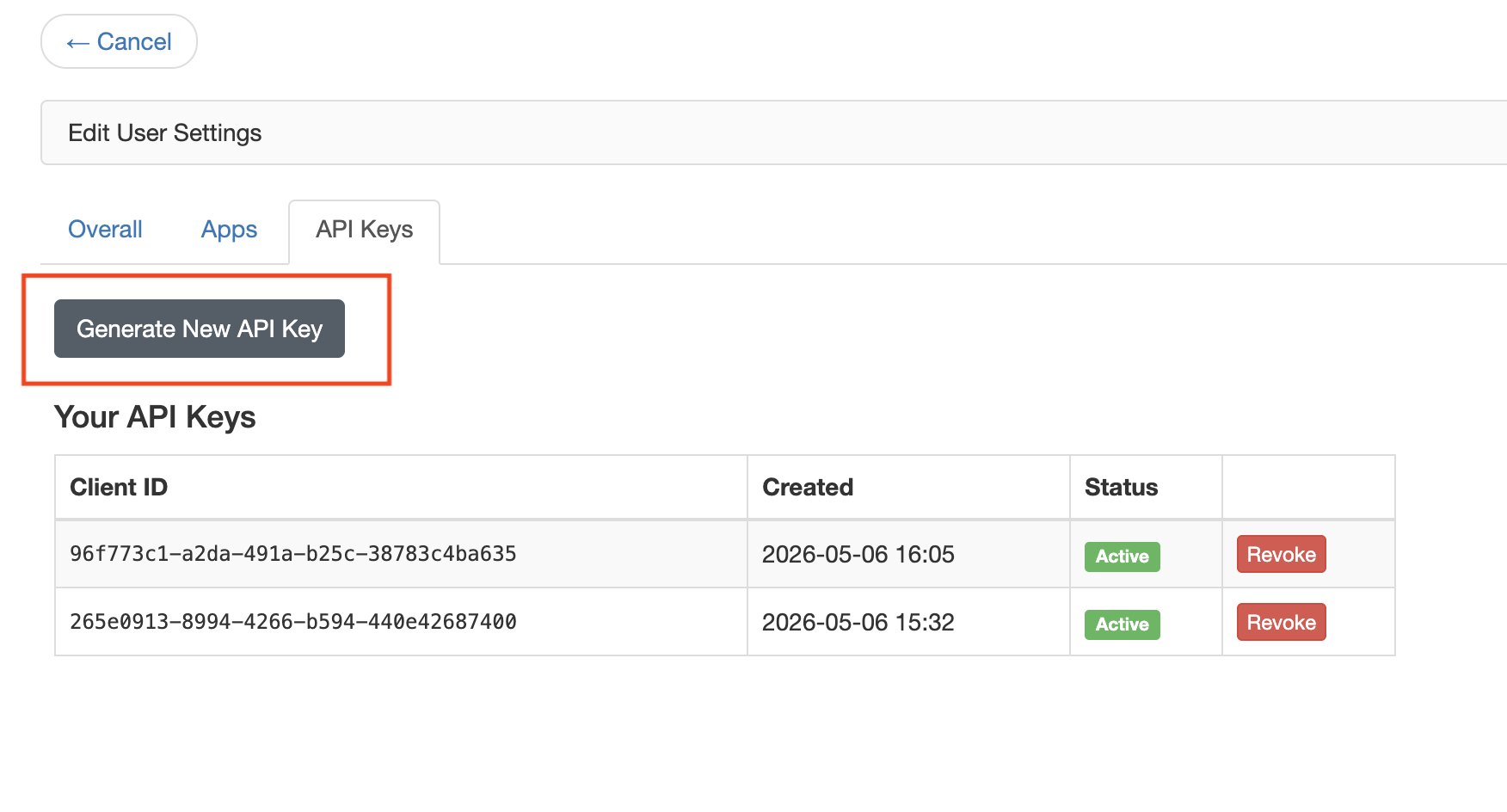
Within the API Keys tab, you'll see any existing API keys you already have setup, along with an option to generate a new API Key. You can revoke your API keys at any time by clicking the Revoke button, and then confirming via the pop-up dialog box.
To generate a new API Key, click the "Generate New API Key" button
This will generate a new Client ID and Client Secret for you. The client ID can be referenced at any time in your API Keys list, but the client secret is shown once and only once.
Warning! You must record your client secret somewhere off-platform or save it somewhere like a password manager, as the secret is not saved within the Redbird environment! Only you have access to this key!
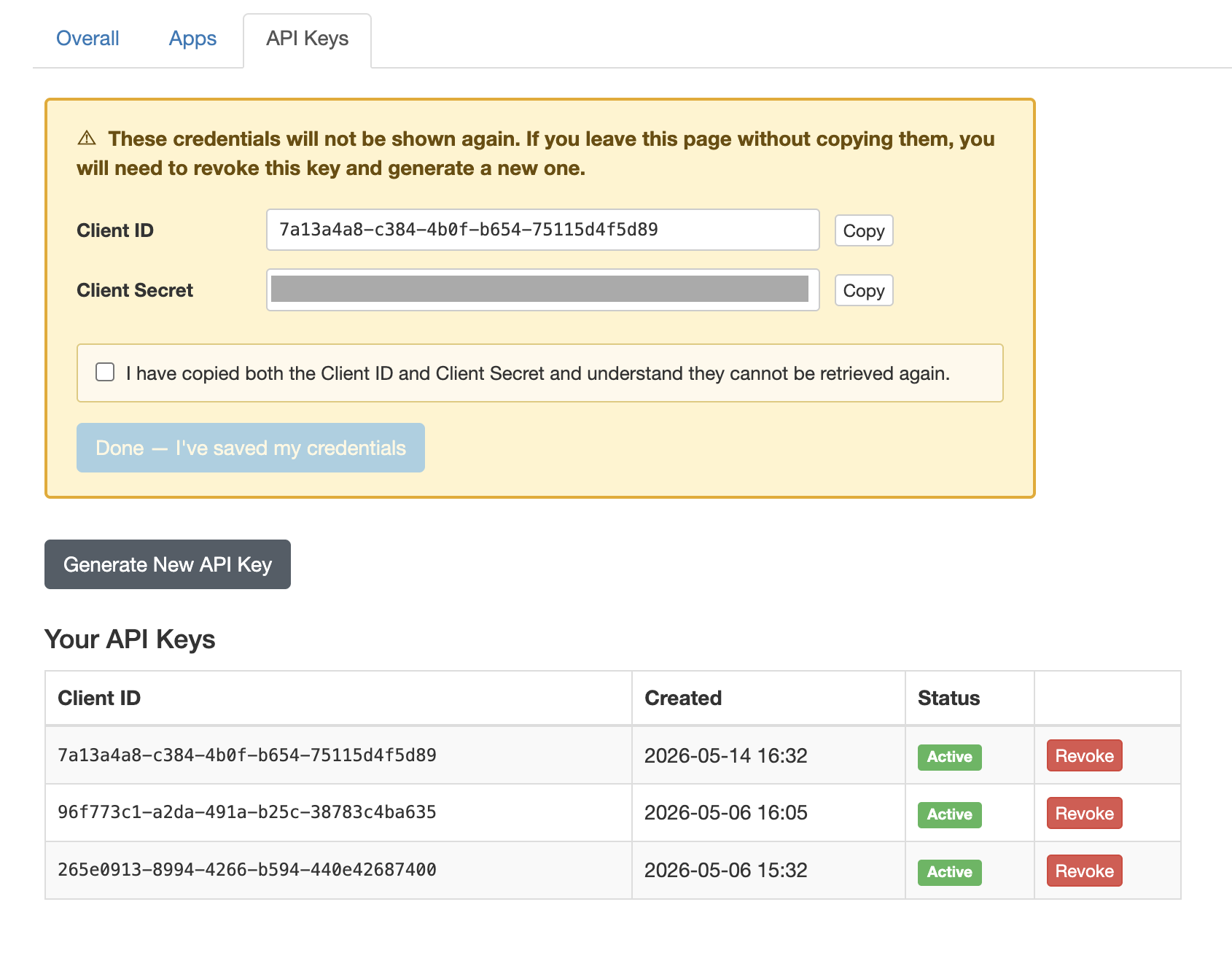
From here, click the checkbox to confirm you've copied the client secret and the Done button to save the credential set.
That's it! Now you can simply pass in your Client ID and Client Secret as arguments into the RedbirdAgentSDK constructor as in the below code. We recommend saving your client secret as an environment variable or saved within a password ecosystem so its not exposed as plaintext.
from redbird_agent_sdk import RedbirdAgentSDK
sdk = RedbirdAgentSDK(client_id=<MY CLIENT ID>, client_secret=<SECRET>)
Once users have been authenticated, short-lived tokens are generated to authenticate on behalf of the users. The Agents use these short-lived tokens and can only act on users' behalf for the single agent invocation.
Note that client secrets are NEVER passed to the AI Agents on the Redbird platform!
Updated 4 days ago